De Documentations Patas-monkey
Aller à la navigation
Aller à la recherche
|
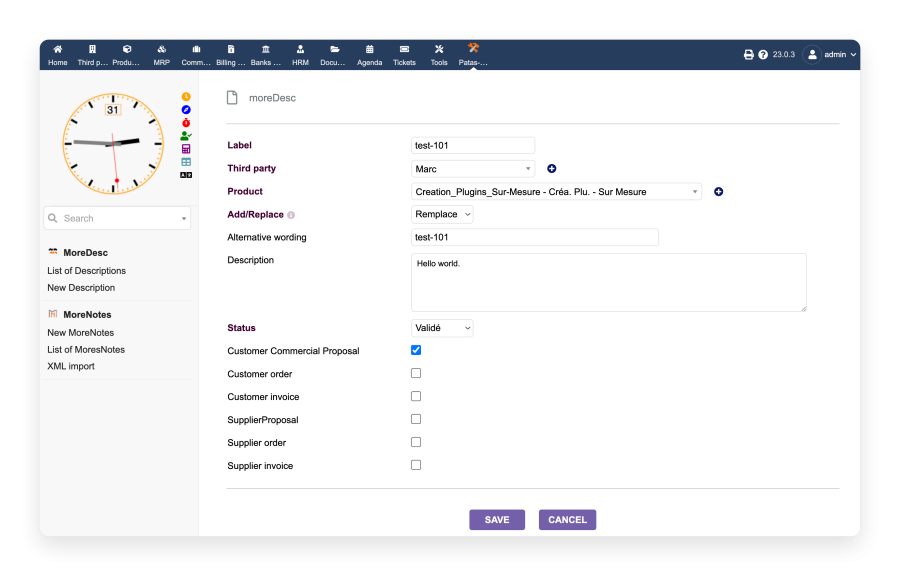
Preview — Creating a new description
To create a new description, click on New Description in the left-hand tab.
You then get the preview shown here, which lets you create a new description.
- Label: Set the Label of the new description.
- Third party: Set the Third party to which the new description is attached.
- Product: Set the Product to which the new description will be attached.
- Add/Replace
- Add: The description you have written will be added to the associated product's base description.
- Replace: The description you have written will completely replace the associated product's base description; only this one will be present.
- Alternative label: Sets the alternative label of the new description.
- Description: Text of the new description.
- Status: Sets the status of the new description. There are 3 possible statuses: Draft / Validated / Cancelled.
- Active Description Space: Check the section(s) in which you want to be able to activate the new description.
|
