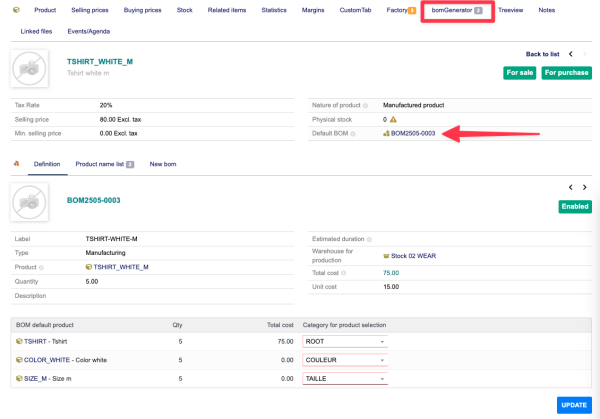
The BOMGenerator module adds a new tab to the product sheet.
The number displayed on this tab indicates how many BOMs are associated with this product.
|

|
The BomGenerator tab displays the default BOM associated with the product. Without this definition, the module cannot be used.
|
The BomGenerator tab has three sub-tabs:
- The first tab allows you to select a product category for each item in the BOM. To do this, select a category from the associated drop-down list and save the selection.
- The second tab displays the list of BOMs associated with this product.
- The last tab allows you to create a new BOM from the default BOM and the settings made in the first tab.
|

