|
The activity module adds widgets to Dolibarr's home pages.
You can choose which Dolibarr home page (home, third parties, accounting, etc.) to display on.
|
Settings
List of widgets available in the module
You can view the module's widgets by searching for the 'activty' note in the widget list.
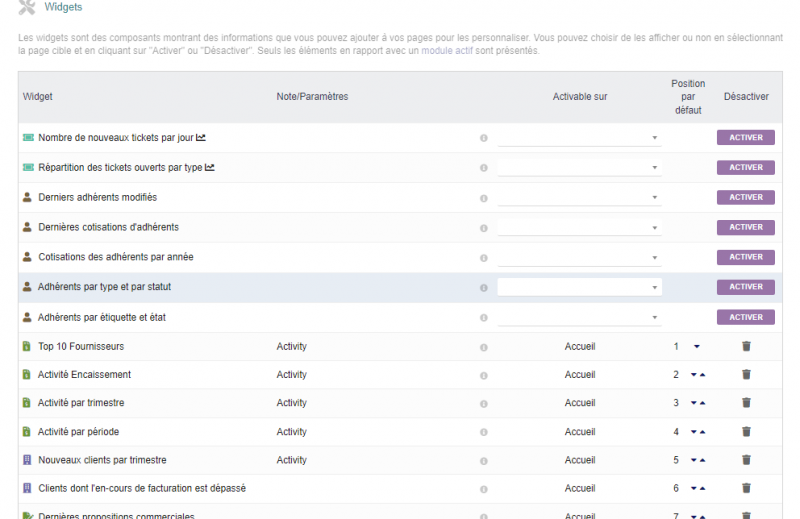
By default, widgets are assigned to the Dolibarr home page, but it is possible to move them to another page by deactivating them (with the trash can) then reactivating them by selecting the page where to display them.
List-Type Widgets
|
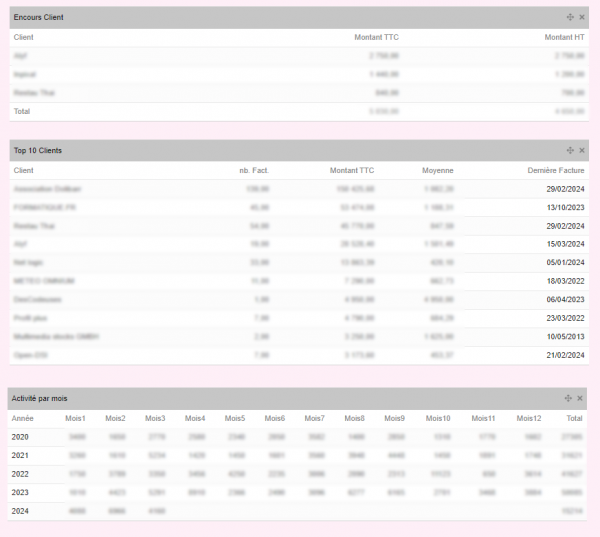
- Top 10 Customers: Displays the list of customers sorted by the amount of invoices they have received.
- Top 10 Suppliers: Displays the list of suppliers sorted by the amount they have received.
- Quarterly Billing: Displays invoices with one line per year and one column per quarter, as well as a total column
- Monthly Billing: Displays invoices with one line per year and one column per month, as well as a total column
- Activity by Quarter: Displays receipts with one row per year and one column per quarter, as well as a total column.
- Activity by Month: Displays receipts with one row per year and one column per month, as well as a total column.
- Activity by Period: Displays a table showing customer activity by displaying both the total amount (excluding or including tax) and the number of items.
- In columns: Customer Quotes, Signed Quotes, Lost Quotes, Customer Orders, Invoices, Collections.
- In rows: Previous Year, Current Year, Previous Quarter, Current Quarter, Previous Month, Current Month.
- Collection Activity: Displays a table of collections with
- In rows, the collection method (bank transfer, check, cash, etc.)
- In columns, a period (quarter, month, week, day before yesterday, yesterday and today)
|
|
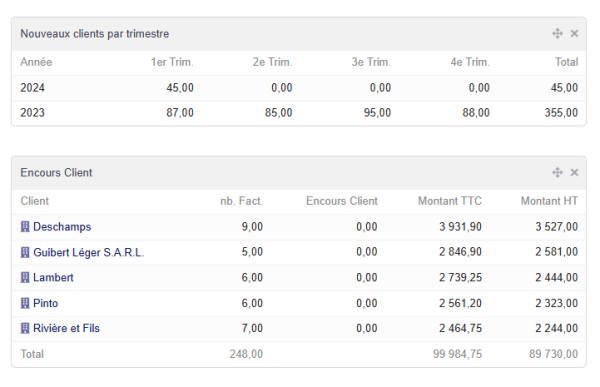
- New clients per quarter: Displays the number of new clients created each quarter
- New contacts per quarter: Displays the number of new contacts created each quarter
- New members per quarter: Displays the number of new members created each quarter
- Encours clients : présente les encours clients avec le montant autorisé et le nombre et la somme des factures impayées
- Encours fournisseurs : présente les encours clients avec le nombre et la somme des factures impayées
|
Widgets de type graphique
Ce type de widgets affiche des graphiques par nombre ou quantité cumulé ou non sur une année
Il est possible d'accéder au paramétrage du graphique en cliquant sur l'entonnoir en haut à droite du widget
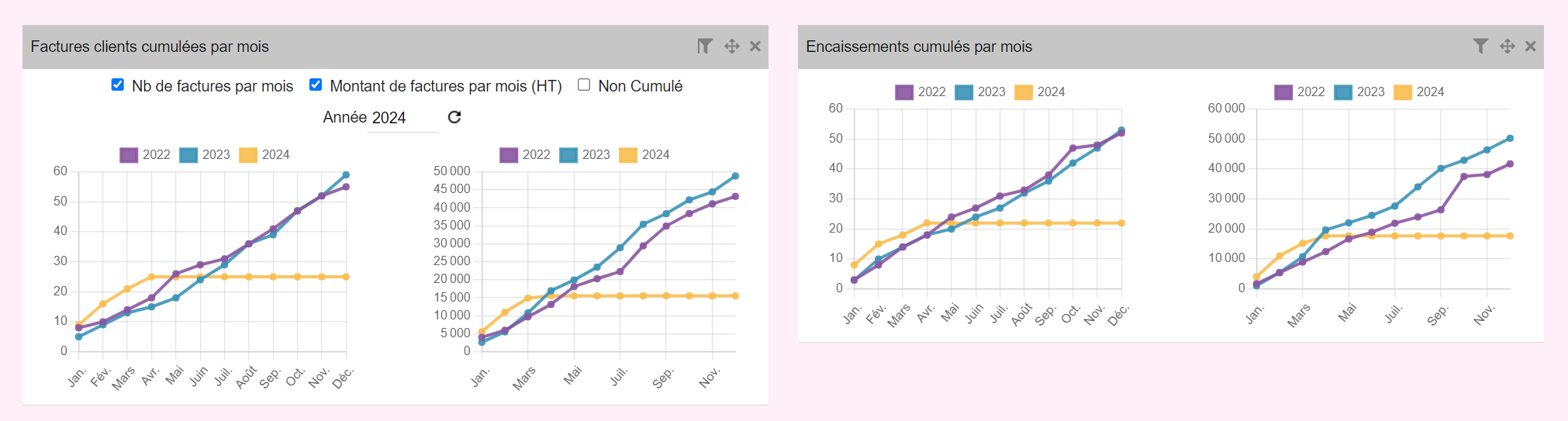
- Factures clients cumulées par mois
- Encaissements cumulés par mois


