De Documentations Patas-monkey
Aller à la navigation
Aller à la recherche
|
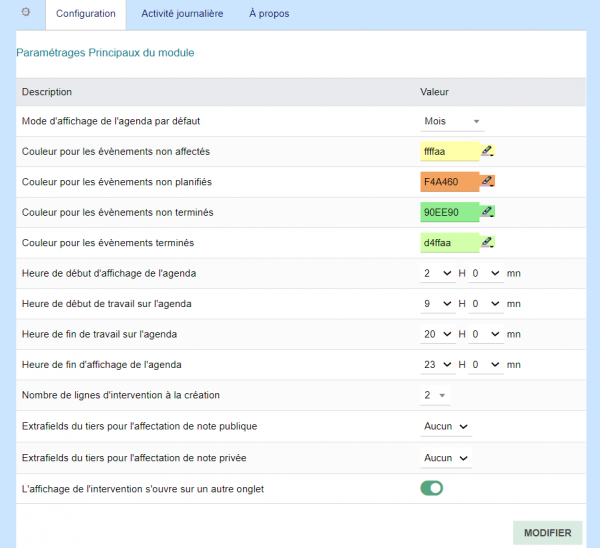
From this screen, you can configure:
- the default access to the calendar view for a week or a month
- the 4 colors corresponding to the different states of the intervention
- the time slots (start and end of day, start and end of activity) for the weekly view
- the number of intervention lines (from 1 to 4) that can be entered when creating the intervention from the calendar
- the number of contacts/users that can be displayed in the lists before concatenating them in a tooltip
- the extrafields available on the third party to populate the public and private notes of the intervention (useful for access codes and instructions specific to each intervention for this third party)
- define whether you want to open the intervention on the same tab or a different one from the editing pop-up
|
