« Transporteur/en » : différence entre les versions
Aucun résumé des modifications |
Aucun résumé des modifications |
||
| Ligne 30 : | Ligne 30 : | ||
# Click the "New Shipping Rates" button. | # Click the "New Shipping Rates" button. | ||
[[File: | [[File:Transporteur_Creation1_en.png| 800px]] | ||
=== Available Settings === | === Available Settings === | ||
Version du 10 septembre 2025 à 18:12

|
The Transporteur module allows you to add shipping costs to a sales proposal, order, or invoice based on product weights.
The module also allows you to manage free shipping and rates for each country. |
Dolibarr Configuration
To make the Transporteur module operational, you must activate it. Follow the steps below:

|
Home > Configuration > Modules/Applications > Patas-Tools > Transporteur > Status "Activated" |
Module Configuration
General Settings

We define a service associated with the transport which will be added to the document depending on the weight and country of the customer.
It is also possible to indicate an amount to trigger "free shipping".
Creating a new shipping cost
To create a new shipping cost, follow the steps below:
- Go to the "Module Settings" tab, then select the "Prices" tab.
- Click the "New Shipping Rates" button.

Available Settings
A new window will appear with the fields to be filled in to configure the New Shipping Costs:

|
|
Validation
Once all fields are completed, click the "Add" button to save the new shipping cost.
Rate Management by Weight and Country

The Rates tab allows you to enter pricing based on country and weight.
Usage
The module can be used for proposals, orders, and customer invoices.
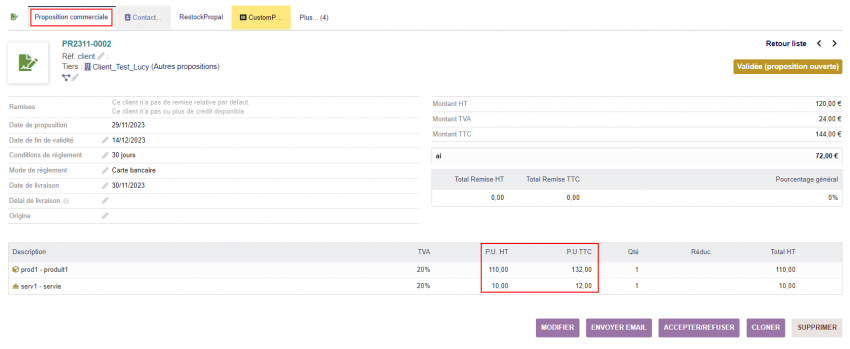

How to add shipping costs to a sales proposal.